On recent Android versions, an app does not always need permanent access to your entire photo library. You can allow access only to selected photos and videos. That narrower permission is better for privacy, but it also explains a confusing behavior: an app may later ask you to select the same image again.
Android’s documentation notes that access granted through selected-photo flows can be temporary. Depending on the app’s implementation and permission mode, the app may lose access after it moves to the background, its process ends or the temporary grant is otherwise revoked.
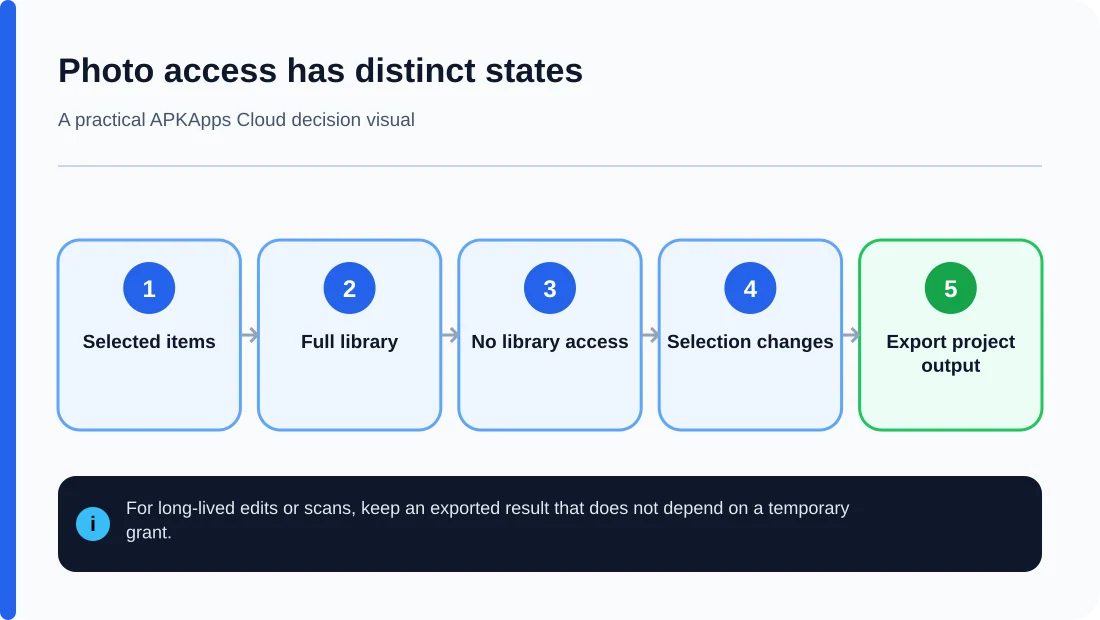
Selected access is different from full library access
When you choose specific photos, the app receives access to only those items rather than every image and video in shared storage. That means the app cannot automatically browse unrelated media just because you allowed it to use one picture.
This is useful for tasks such as attaching a photo, editing a handful of images or uploading selected documents. It also means the app needs to handle permission changes correctly instead of assuming permanent access.
Why the same image can be requested again
An app may keep a reference to a selected image rather than copying the image into its own permanent storage. If that reference no longer has valid permission later, reopening the project can trigger another picker request.
Android 14’s partial photo and video access documentation explains that apps need to account for permission changes and reselection. In compatibility flows, temporary access can eventually be denied after the app goes into the background or its process is killed.
This does not necessarily mean the photo was deleted
If the app says it cannot access an image anymore, check the system photo library before assuming the file is gone. The photo may still exist exactly where it was; only the app’s permission to read it may have expired.
Re-selecting the same photo can restore access for that workflow. If the app repeatedly loses access to files used in long-term projects, check whether it offers an import or copy-to-project option that stores its own managed copy.
What happens when you change the selection
You can revisit an app’s photo and video permissions from Android Settings and change which items it can access. Removing an item from the allowed selection can make that media unavailable to the app even though the original file remains on the phone.
That is an important distinction between permission and ownership: revoking access does not normally erase the photo from your library.
For editors and scanner apps, think about project durability
An editor that references external photos can behave differently from one that imports a full copy into its own project. If you are working on something important, confirm whether the project embeds the media, keeps a reference to it or expects you to grant access again later.
Before clearing app storage or uninstalling the app, export finished work and any project format the app supports. Selected-photo permissions are only one part of project recovery; local project databases can still be removed by a destructive reset.
Selected access vs full access
| Access model | What the app can see | Common consequence |
|---|---|---|
| Selected photos/videos | Only items you chose | App may need reselection later |
| Full photo/video permission | Broader shared media library | Less frequent selection prompts, but more access |
| System photo picker | Items selected through the picker | Good for one-off sharing without broad library access |
What to do when an app asks again
- Confirm the original photo still exists in your gallery.
- Check the app’s Photos and videos permission in Settings.
- If the request matches the feature you are using, reselect the required item.
- For long-lived projects, look for an import, duplicate or export workflow.
- Do not grant full-library access simply to silence a prompt unless the app genuinely needs it.
Sources and further reading
Android Developers: Selected Photos Access on Android 14
Android Developers: Photo picker
Related APKApps Cloud guides
See how to review Android permissions and what clearing app data removes.